Step 1: Diagnose Which Type of Lag You Have
Player reviews on Google Play for Sheru Bhai Life Simulator Game (com.Skorax.SheruBhaiGame) most frequently report lag while driving or frame drops when multiple vehicles load in one scene. Before changing settings, identify which failure mode matches your phone:
| Symptom | Most Likely Cause | First Action to Try |
|---|---|---|
| Game won't install or says Not Compatible | Android OS version, 32-bit chipset, or < 500 MB free storage | See System Requirements & Compatibility Helper |
| App crashes immediately on launch | Insufficient free RAM or corrupted unofficial APK | Uninstall any third-party APK; reinstall official app from Google Play |
| Smooth while walking, lags when driving or spawning cars | 3D physics + streaming map assets hitting RAM/thermal limits | Close background apps, limit spawned vehicles to 1–2, disable Battery Saver |
| Browser game freezes or won't load | Browser WebGL or script-blocker conflict | See browser troubleshooting on /online |
Step 2: Practical Android Lag-Fix Checklist
Apply these five steps in order—each addresses a real Android memory or thermal bottleneck without requiring root access or sketchy "GFX Booster" apps:
- Free Up Active RAM Before Launching: Swipe away Instagram, YouTube, Chrome, and video editors from your Recent Apps tray before opening Sheru Bhai Game.
- Keep At Least 1 GB of Free Internal Storage: Android storage performance drops sharply above 90% capacity, causing texture pop-in and driving hitching.
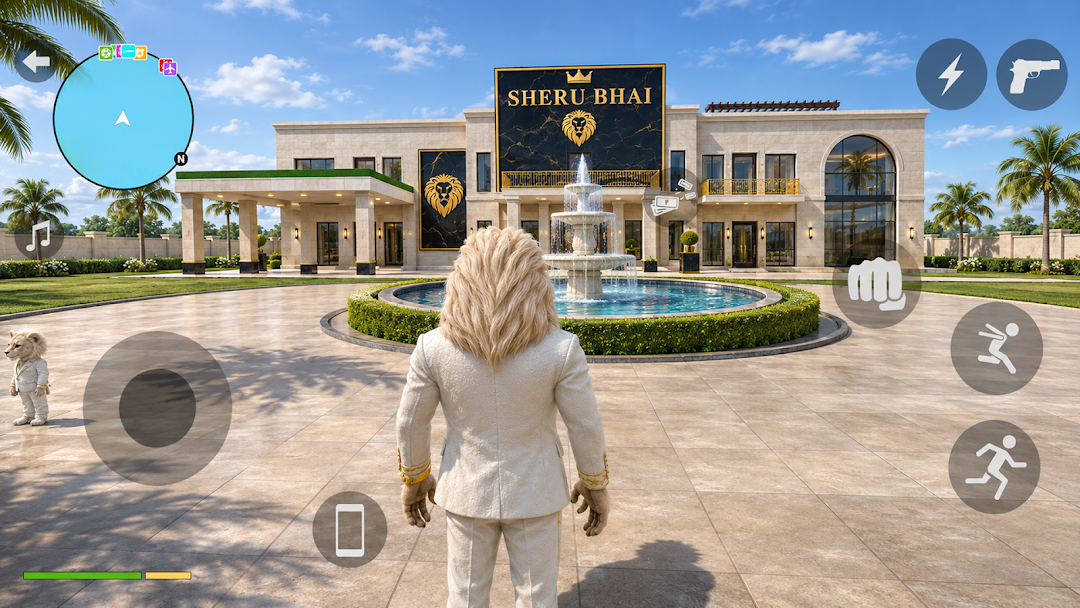
- Avoid Stacking Multiple Spawned Vehicles: Every extra supercar or convoy SUV parked outside the Royal Hill Mansion adds active 3D physics calculations. Keep 1–2 vehicles active at once on budget 2 GB–3 GB RAM phones.
- Turn Off Battery Saver & Let the Phone Cool Down: Battery Saver caps CPU/GPU clock speeds, and playing while charging heats the chipset and triggers thermal throttling within minutes.
- Update via Official Google Play: Outdated builds and repackaged third-party APKs miss developer optimization patches—verify you are on the latest official release via /updates.
Honest Device Testing Policy (No Fake FPS Promises)
We do not promise "fixed 60 FPS on 2 GB RAM phones." Real-world smoothness depends on your exact chipset (Snapdragon / Dimensity / Helio), thermal headroom, Android version, and the specific game update.
Community Device Observation Log (Template for Ongoing Testing)
| Device / Chipset | Android OS | Game & Build | Scene Tested | Adjustment Applied | Observed Result |
|---|---|---|---|---|---|
| Pending hands-on test | Android 11–15 | Skorax com.Skorax.SheruBhaiGame |
Royal Hill driving & car spawn | Background apps cleared + 1 vehicle | Will be logged after device benchmark |
Have a specific phone model where driving lags or runs smoothly? Share your phone model, RAM, and which Sheru Bhai developer you play in the comments below so we can add real player observations!
If your Android phone still overheats or stutters heavily during driving, consider playing Skorax's official build on Windows via Google Play Games on PC or trying a lightweight browser fan game on /online.
Player Questions & Tips