
Safe Download Summary: Where to Get Sheru Bhai Game
The safest way to download Sheru Bhai Game on Android is directly through the Google Play Store. Because Sheru Bhai began as a viral AI white-lion character on Instagram Reels and YouTube Shorts, several independent mobile developers launched fan games under similar names. Always verify the developer name right below the app title before tapping Install:
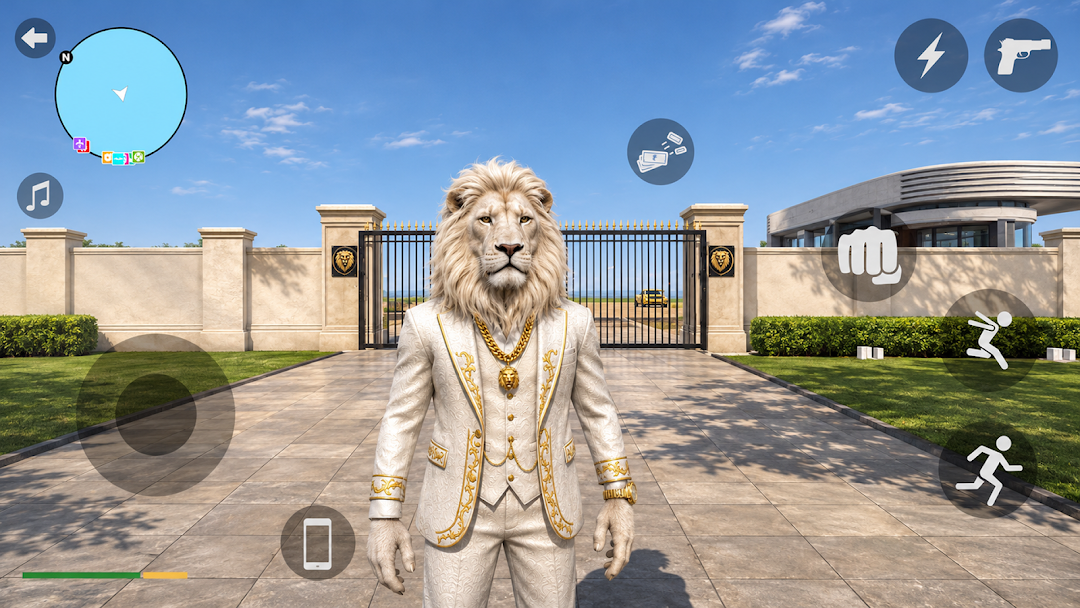
- Sheru Bhai Life Simulator Game — Developer: Skorax
- Package ID:
com.Skorax.SheruBhaiGame - Best for: 3D island exploration, Royal Hill gold mansion, wardrobe suits & crowns, in-game Royal Phone vehicle summoning, helicopters, and the Money Throw button.
- Official Store Link: Get Official App on Google Play (Skorax)
- Package ID:
- Sheru Bhai Aura: Royal City — Developer: ONLYTECH SOLUTIONS
- Best for: Open-world city driving, motorcycles, luxury cars, helicopters, and armed/machine-gun vehicles.
- Official Store Link: Get Official App on Google Play (ONLYTECH)
Not sure which build matches the Reels clip you saw? Check our Skorax vs ONLYTECH Version Comparison before installing.
How Do You Install Sheru Bhai Game Safely on Android?
Installing from Google Play takes under two minutes as long as your phone has at least 700 MB to 1 GB of free internal space for 3D asset extraction. Follow these four steps:
- Free Up Storage First: Even though the initial Play Store download is compact (typically a few hundred megabytes depending on the latest update), keep at least 700 MB to 1 GB of free internal storage so Android can unpack textures and save future patches without throwing an error.
- Verify Your Device Specs: If you use a 2 GB or 3 GB RAM phone, run our instant Phone Compatibility Checker to see the best lag-free settings before launching.
- Open Google Play Directly: Tap one of the official Google Play links above on your Android phone, confirm the developer name (
SkoraxorONLYTECH SOLUTIONS), and tap Install. - Launch Offline Anytime: Once Google Play finishes installing the game, you can explore the open-world island and mansion offline without burning mobile data.
Why You Should Never Install "Sheru Bhai Mod APK" Files
When you search for sheru bhai game apk or sheru bhai game mod apk, dozens of unofficial third-party sites promise "Unlimited Money" or "All Cars Unlocked" APK downloads. Here is why installing those files is both unnecessary and risky:
- Core Sandbox Vehicles Are Already Accessible: In the free Google Play versions, you can already spawn supercars, explore the gold mansion, and use the Royal Phone without paying for a modded file.
- Hidden Adware & Malware Risks: Repackaged
.apkand.xapkfiles bypass Google Play Protect's original developer signature checks. Many fake APK pages bundle full-screen pop-up adware, background trackers, or credential stealers. - Broken Updates & Crashes: Unofficial APKs cannot receive automatic bug fixes from Skorax or ONLYTECH through Google Play, leading to black screens and sudden crashes on Android 12–15 devices.
Our Strict Safety Policy: Sheru Bhai Games (
sherubhaigames.online) is an independent fan guide. We never host.apk,.obb,.xapk, or.exeinstallers on our servers. Every download link on this site points strictly to Google Play.
Can You Download Sheru Bhai Game on iPhone (iOS) or PC?
- Windows PC / Mac: There is no official native PC
.exedownload. To play safely on a larger screen with keyboard and mouse controls, install the official Android version inside BlueStacks or LDPlayer—see our full Sheru Bhai Game PC Setup Guide. - iOS (iPhone / iPad): The viral Skorax and ONLYTECH Sheru Bhai builds are primarily Android Google Play releases. Be cautious of unrelated copycat apps on other stores that use the lion thumbnail but contain completely different gameplay.
How Do You Fix Google Play Download or Storage Errors?
Most Play Store install failures happen because of low internal storage, an outdated Android 6.0 OS, or paused background Play Store queues:
- "Not Enough Space" Error: Clear WhatsApp video caches or unused apps until you have at least 1 GB free, then restart Google Play.
- "Your Device Isn't Compatible" Message: This usually appears on phones running Android 6.0 or older, or 32-bit entry devices. Check our System Requirements page for workarounds or play on PC via an emulator.
- Download Stuck on Pending: Pause other Play Store app updates, toggle Airplane Mode on and off, or switch from mobile data to Wi-Fi.
Player Questions & Tips